Enroll Devices with SureIdP Authentication
Supported platforms: Android, iOS, MacOS, Windows, Linux.
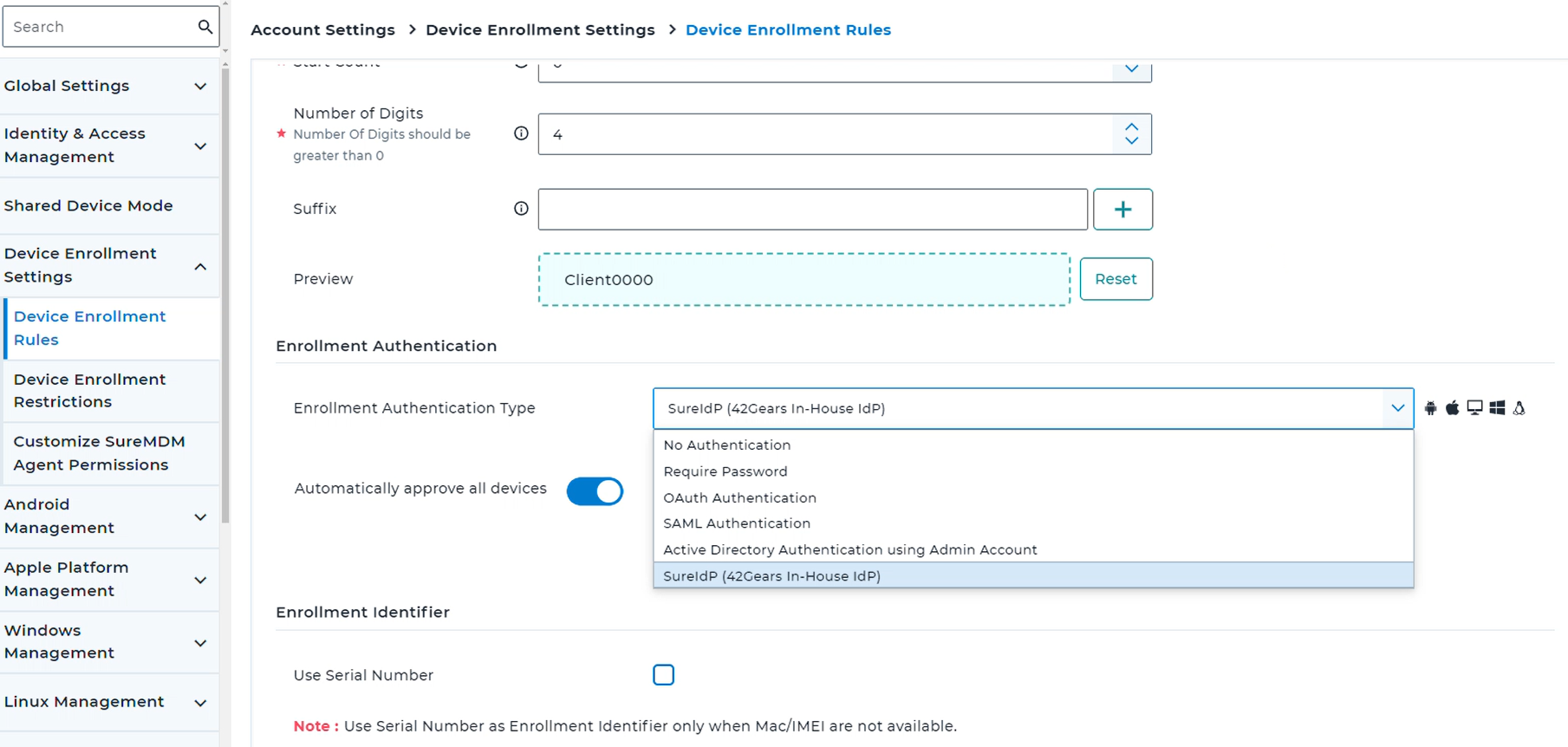
Before starting the enrollment process, configure the SureIdP as the authentication type:
A. Set the Enrollment Authentication Type
Log in to the SureMDM Web Console.
Go to Settings > Account Settings > Device Enrollment Rules.
Select SureIdP (42Gears In-House IdP) and click Apply.
B. Initiate the Enrollment Process
Begin the enrollment process as per the selected method. Click here for different enrollment methods.
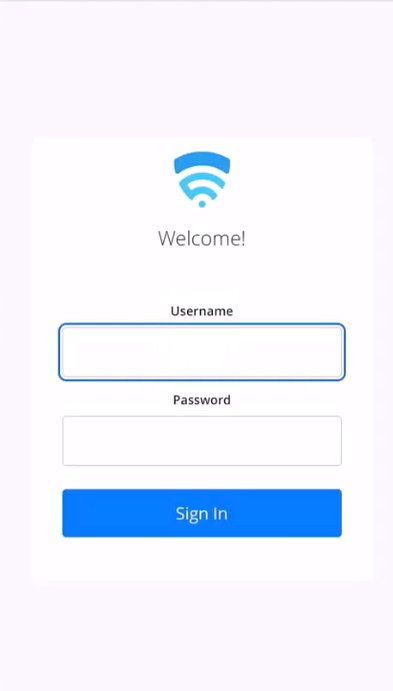
The SureMDM Agent will redirect the user to the SureIdP login page.
C. Authenticate the User
Login: Enter the user's SureIdP credentials (email and password).
MFA Code (if enabled):
- If Multi-Factor Authentication (MFA) is active, the user will be prompted to enter a code generated by an authenticator app ( Google Authenticator, Microsoft Authenticator or FreeOTP).
- The authenticator app must be set up beforehand by scanning a QR code provided in the activation email.
D. Once authenticated , SureMDM Agent Home Screen will show the status as Online and the device will be listed in SureMDM Console.