Consumables
Consumables in SureAsset are items that get used up over time and require regular replenishment. They help organizations track usage, monitor stock levels, set automatic reorder points, and manage costs efficiently. Consumables include:
- Office Supplies: Paper, toner, stationery
- Cleaning Supplies: Sanitizers, wipes, cleaning solutions
- Safety Equipment: Masks, gloves, safety gear
To add Consumables to SureAsset, follow these steps:
- Navigate to the Consumables section in SureAsset.
- Click Create New.
 |
|---|
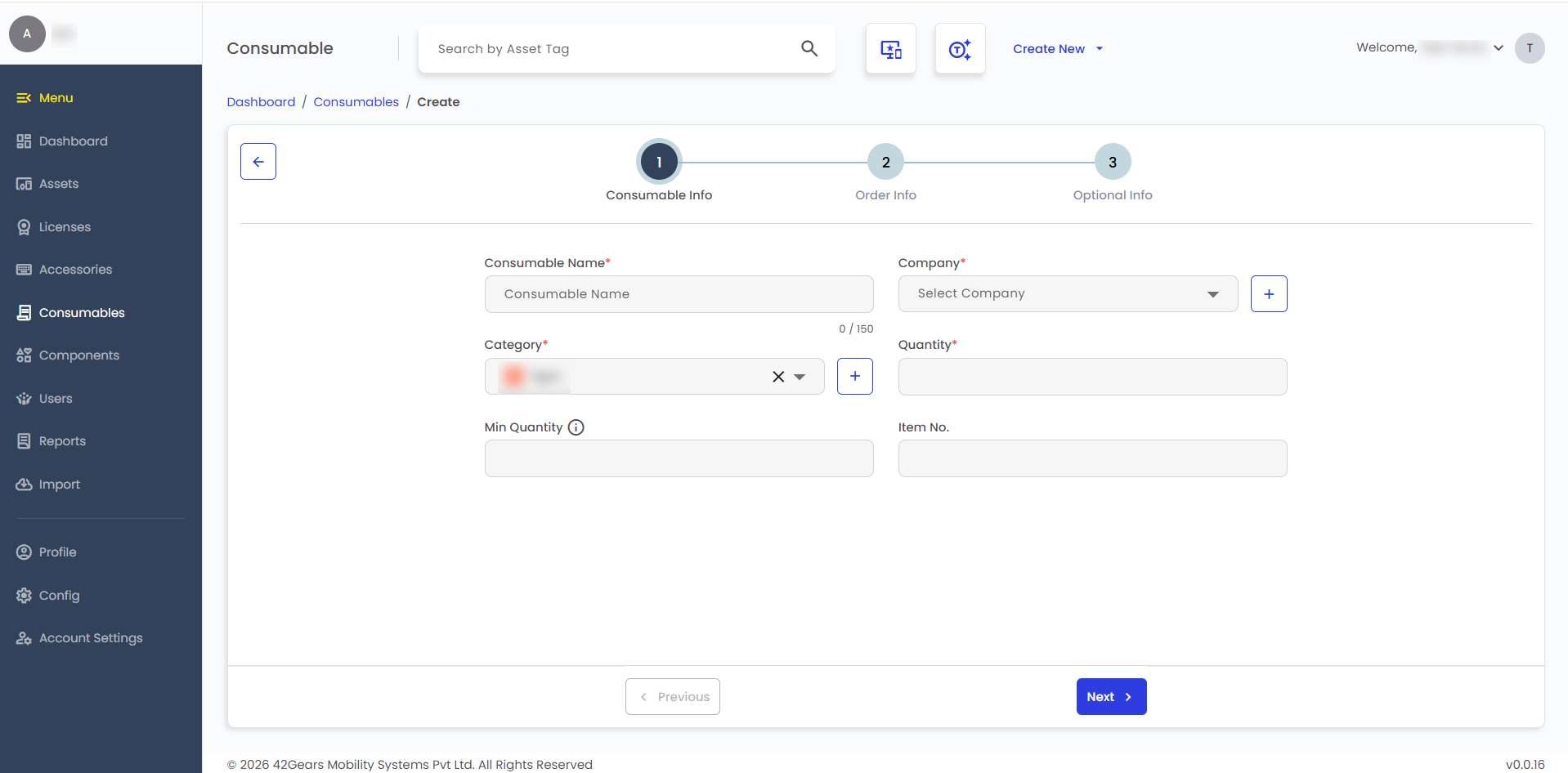
- Configure the following Consumable Info details:
- Consumable Name - Enter the name of the consumable item.
- Company - Select the company associated with the consumable
- Category - Select the consumable category.
- Quantity - Enter the current quantity available.
- Minimum Quantity - Enter the threshold quantity to trigger low-stock alerts.
- Item No. - Enter a unique identifier or item number for tracking purposes.
- Configure the following Order Info details:
- Location - Select the location where the consumable is stored.
- Model Number - Enter the model number, if applicable.
- Supplier - Select the supplier of the consumable.
- Manufacturer - Select the manufacturer.
- Order Number - Enter the purchase order number.
- Purchase Date - Select the purchase date of the consumable.
- Purchase Cost - Enter the purchase cost.
- Configure the following Optional Info details:
- Requestable - Enable to allow users to request this consumable.
- Notes - Enter any additional information about the consumable, if required.
- Upload Image - Upload an image of the consumable for reference.
note
Use the + icon next to a field to add a new entry. Enter the details and click Create.
- After entering the required details, click Create to add the Consumable.
- To assign the accessory, click Checkout and configure the details to check out the license to users.