Users
Users in SureAsset allows organizations to control access, assign responsibilities, and define permissions for different users. Users can have different roles based on their responsibilities, which determine the actions they can perform within the system.
User Roles
Standard User
- View assigned assets
- Request asset checkouts
- Update personal profile
- View basic reports
Organizer
- Create and edit assets
- Perform checkouts/check-ins
- Manage asset categories and locations
- Access detailed reports
Administrator
- Full system access
- User management
- System configuration
- All reporting capabilities
SuperUser
- Multi-tenant management
- System-wide settings
- User role assignments
- Advanced system configuration
Create a New User
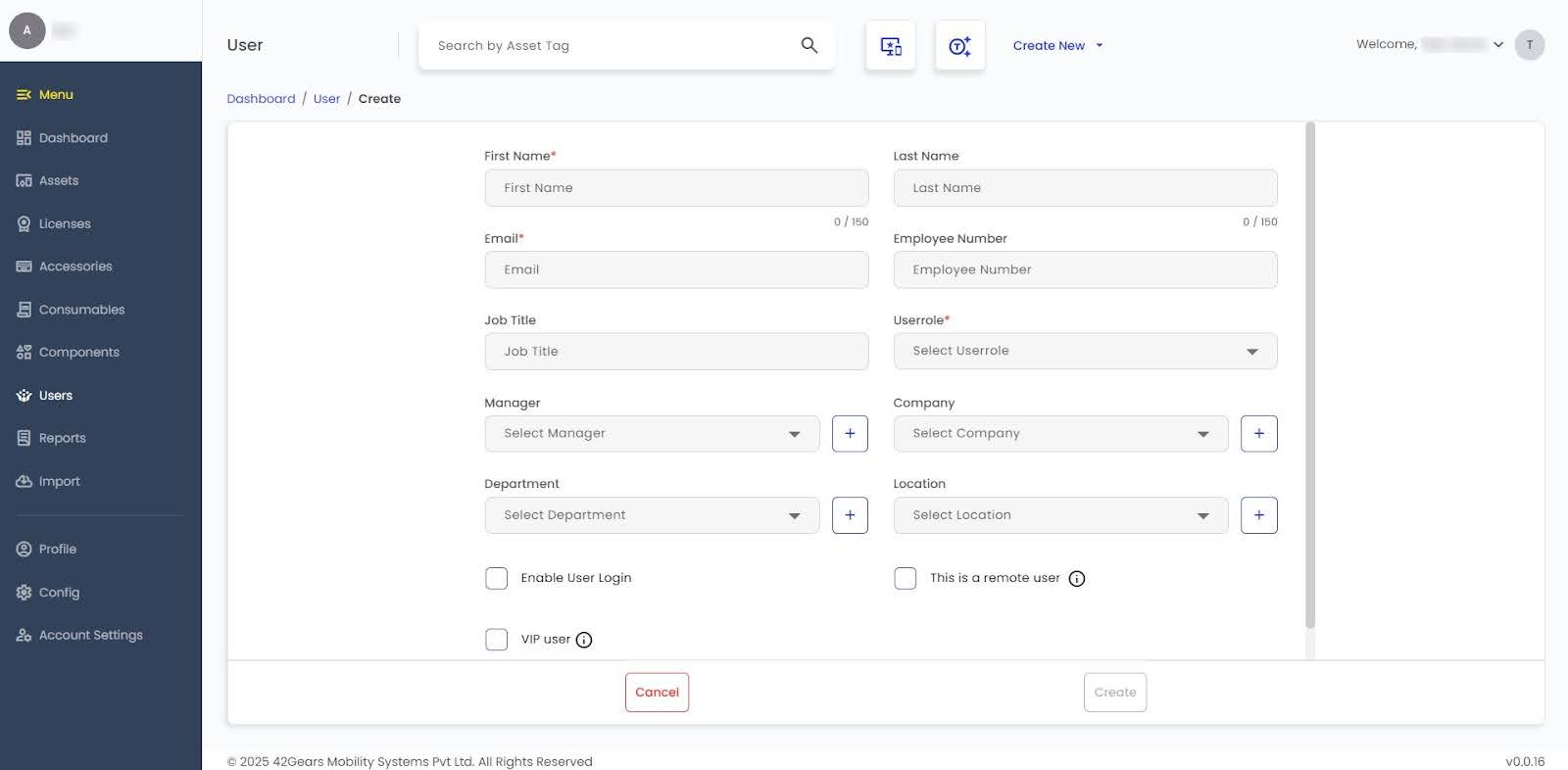
To add a New User in SureAsset, follow these steps:
- Navigate to the Users section in SureAsset.
- Click Create New.
 |
|---|
- Enter the following details:
- First Name - Enter the user’s first name.
- Last Name - Enter the user’s last name.
- Email - Enter the user’s email address (used for login).
- Employee Number - Enter the organization’s employee ID for the user.
- Job Title - Enter the user’s designation or role in the organization.
- User Role - Select the role for the user (Standard User, Asset Manager, Administrator, or Super Administrator).
- Manager - Select the user’s reporting manager.
- Company - Select the company the user belongs to.
- Department - Select the department the user belongs to.
- Location - Select the user’s office or site location.
- Enable User Login - Enable to allow the user to log in to SureAsset.
- This is a Remote User - Enable if the user works remotely.
- VIP User - Enable to mark important users for special handling or privileges.
- Click Create to add the user to the system.