Components
Components in SureAsset are parts that can be installed in other assets. They help organizations track installation history, ensure compatibility, and monitor lifecycle performance for timely replacements. Components, includes:
- Computer Components - RAM, hard drives, graphics cards
- Network Components - Network cards, cables
- Replacement Parts - Batteries, power supplies
To add Components to SureAsset, follow these steps:
- Navigate to the Components section in SureAsset.
- Click Create New.
 |
|---|
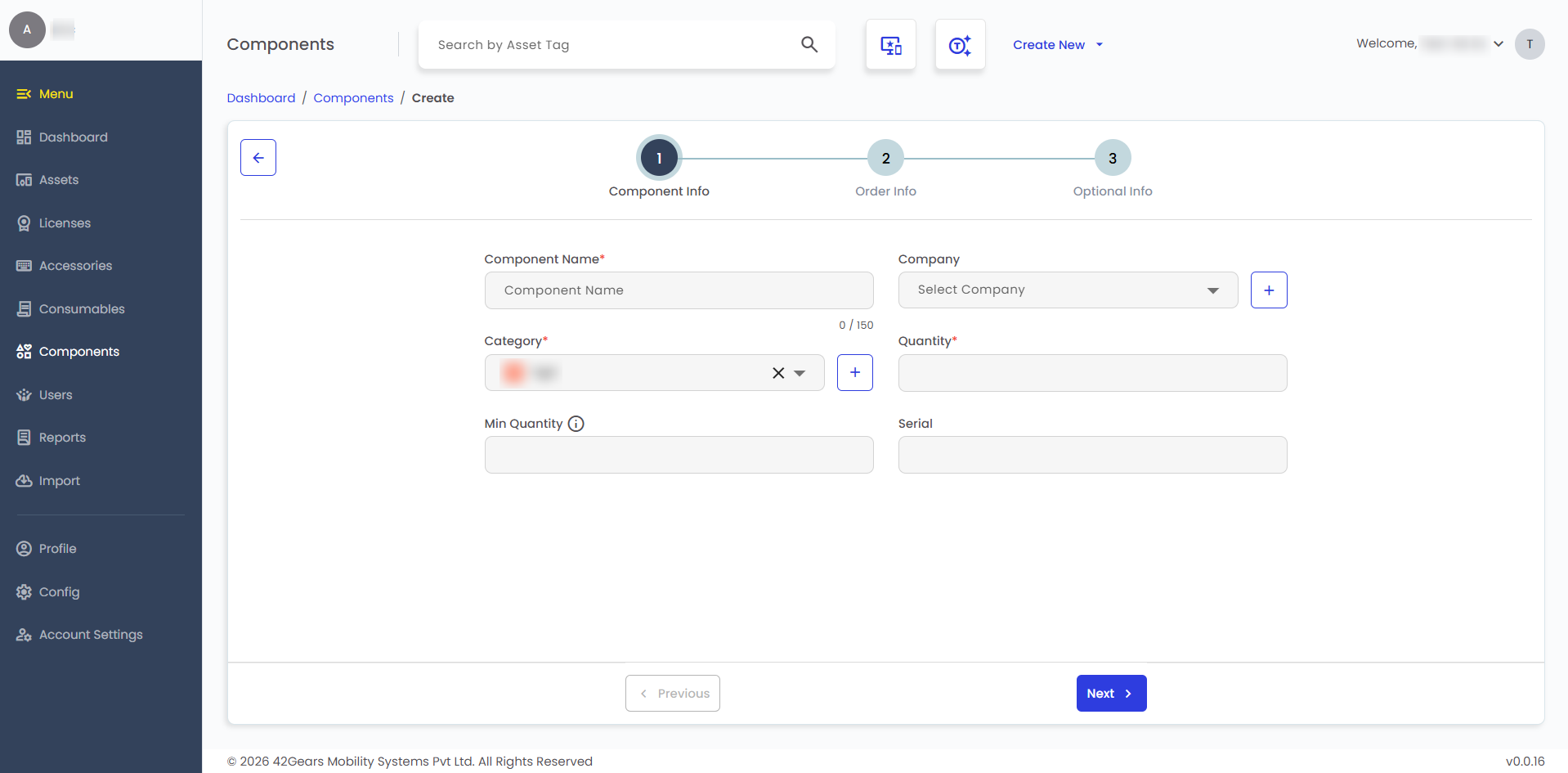
- Configure the following Component Info details:
- Component Name - Enter the name of the component.
- Company - Select the company associated with the component.
- Category - Select the component category.
- Quantity - Enter the available quantity.
- Minimum Quantity - Enter the threshold to trigger low-stock alerts.
- Serial - Enter the serial number, if applicable.
- Configure the following Order Info details:
- Location - Select the location where the component is stored or installed.
- Supplier - Select the supplier of the component.
- Order Number - Enter the purchase order number.
- Purchase Date - Select the purchase date.
- Purchase Cost - Enter the purchase cost.
- Configure the following Optional Info details:
- Notes - Enter any additional information about the component.
- Upload Image - Upload an image of the component for reference.
note
Use the + icon next to a field to add a new entry. Enter the details and click Create.
- After entering the required details, click Create to add the Component.
- To checkout the component, click Checkout and configure the details to check out the license to users.