Account Settings
The Account Settings section allows administrators to configure organization-level settings that control access, branding, authentication, and security. The following sections describe each setting and the required configuration details.
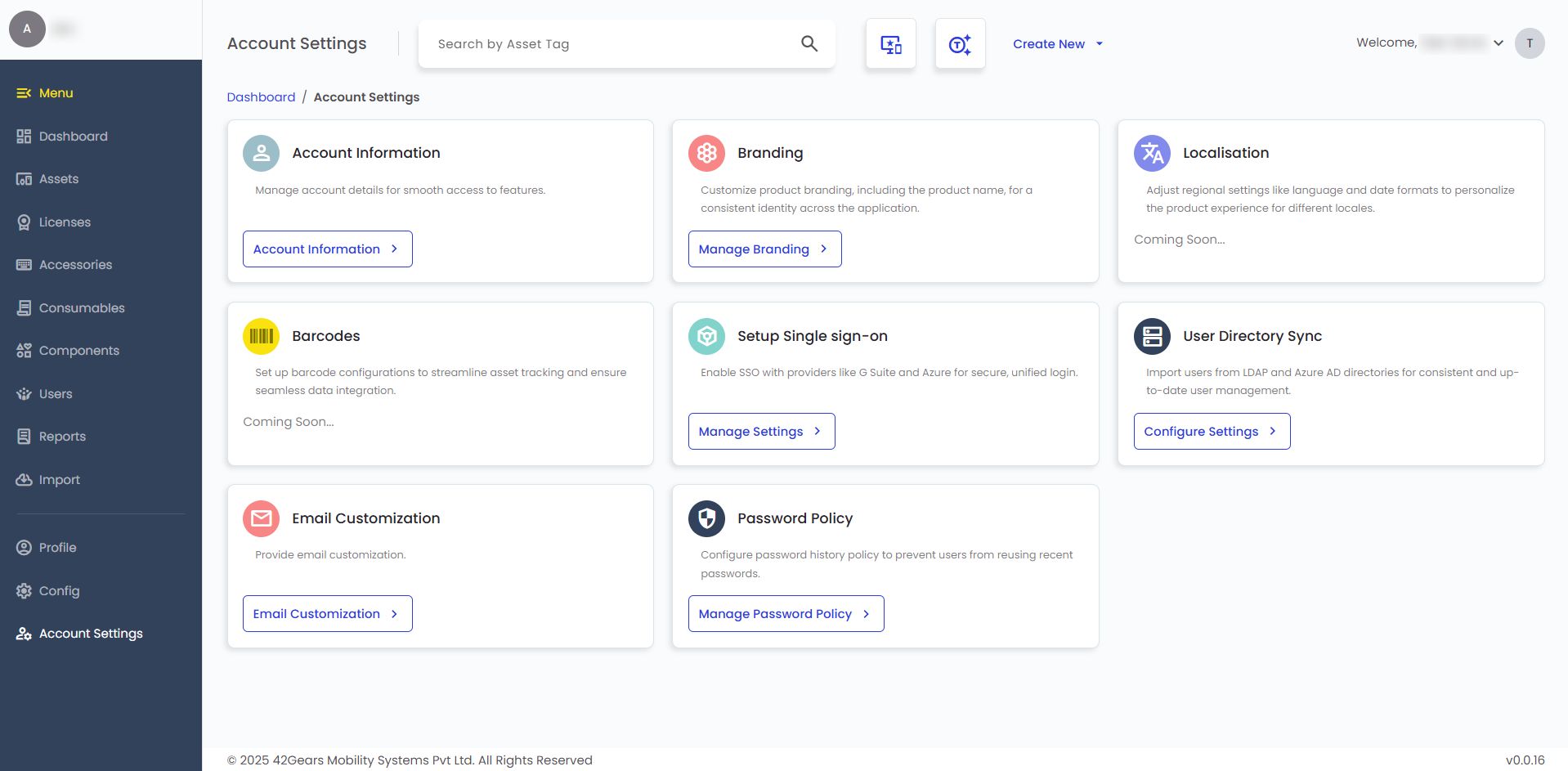 |
|---|
Account Information
The Account Information section displays key account details, including Customer ID, Name, Email ID, and Company Name. These details can only be viewed or copied.
Account Management
The Account Management section allows you to manage critical account actions.
Request Account Deletion - Use Request Deletion to submit a request to permanently delete this account and all associated data. The deletion request can be reviewed and revoked before the account is permanently deleted.
WARNINGOnce the deletion is finalized, the account and all associated data cannot be recovered.
Branding
The Branding section allows customization of the product’s visual identity for a consistent experience across the application.
- Brand Test - Enter the Brand Name and click Apply Branding.
Single Sign-On (SSO)
Set up single sign-on to allow users to securely access the application using external identity providers.
- Enable Single Sign-On - Toggle to activate SSO for your account.
- Authentication Type - Select the authentication method required by your identity provider (SAML 2.0/OAuth 2.0)
- SSO Type - Choose the type of SSO provider.
- Sign-in Callback URL - Enter the URL to which users are redirected after signing in to SureAsset.
- Sign-out Callback URL - Enter the URL to which users are redirected after signing out.
- Scope - Specify the access scope for SSO authentication.
- Login URL - Enter the SSO login endpoint provided by your identity provider.
User Directory Sync
Configure directory synchronization to automatically import and maintain user accounts from external directories.
- Select Type - Choose the directory type (LDAP or Active Directory/AD).
- Role - Assign a role (User/Organizer/Admin/Superuser).
- Enable User Login - Toggle to allow users to log in to SureAsset.
Email Customization
Configure email settings to control recipients and notification delivery.
- Email CC - Enter email IDs to include in CC when sending emails or notifications.
Password Policy
Define password history and reuse rules to enhance account security and enforce password standards.
Enable Password History Policy - Toggle to enforce password history.
noteWhen enabled, users cannot reuse recent passwords based on the history limit you set.
Password history count - Specify how many previous passwords the system will remember.