Reports and Data Import
Reports
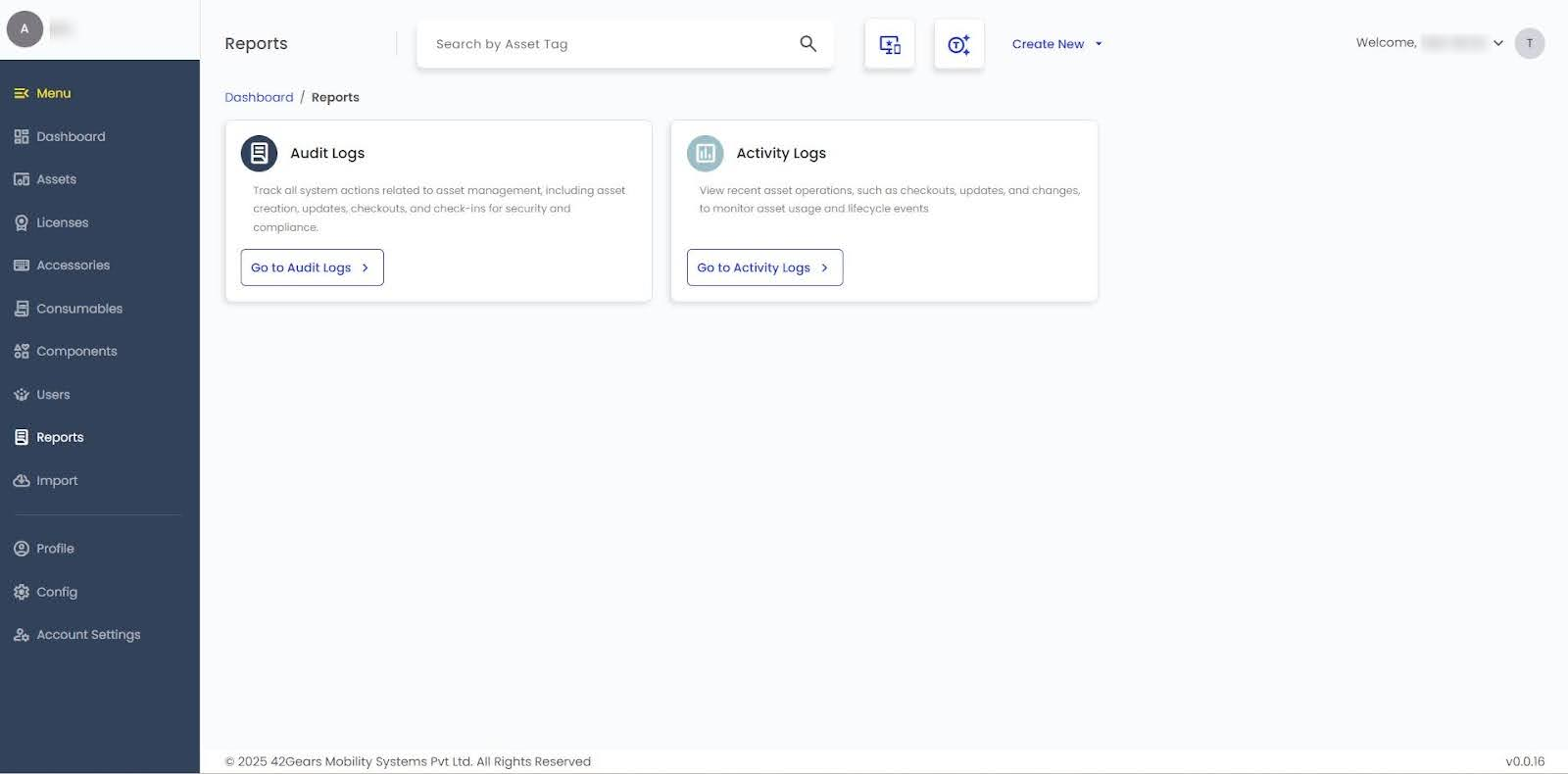
SureAsset provides reporting features to monitor system activity and asset operations. Reports can be refreshed and exported.
 |
|---|
Audit Logs
Track all system actions related to asset management, including asset creation, updates, checkouts, and check-ins, to ensure security and compliance.
Activity Logs
View recent asset operations, such as checkouts, updates, and changes, to monitor asset usage and lifecycle events.
Import
SureAsset allows you to import data for assets, licenses, consumables, components, accessories, and models using CSV files.
Steps to Import:
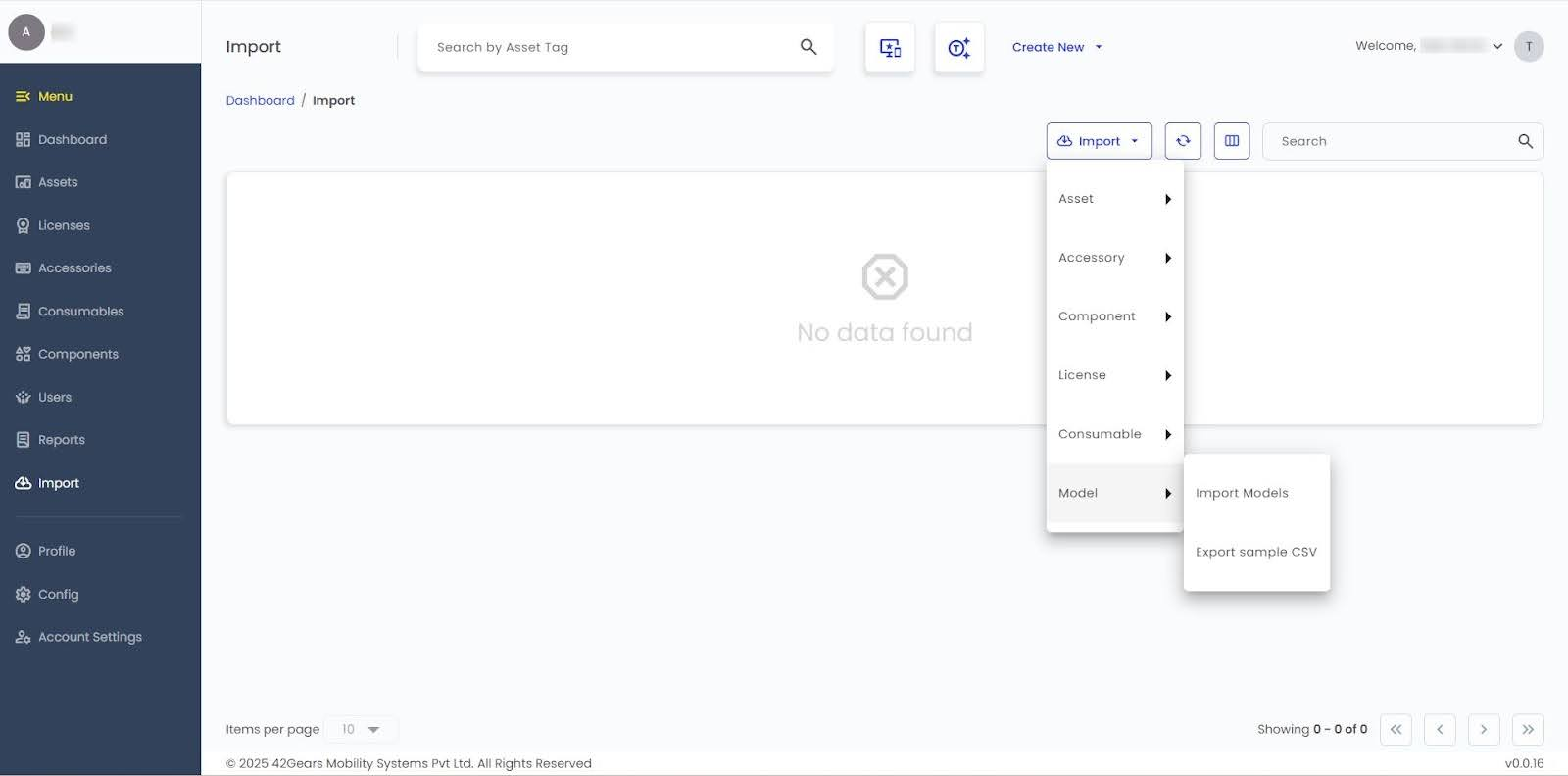
- Click Import.
- Select the type of data to import: Asset, License, Consumable, Component, Accessory, or Model.
 |
|---|
- Click Import for the selected type.
- In the Import Module Prompt, enable required options.
- Allow Auto Create Supplier - Automatically create a supplier if it does not already exist.
- Allow Auto Create Status - Automatically create a status when an unknown value is used.
- Allow Auto Create Model - Automatically create a model if it is not found in the system.
- Allow Auto Create Location - Automatically create a location when it does not already exist.
- Allow Auto Create Company - Automatically create a company if it is not already available.
- Upload the completed CSV to import records into the system.
note
To export, click Export Sample CSV for the selected type.