View Report
Overview
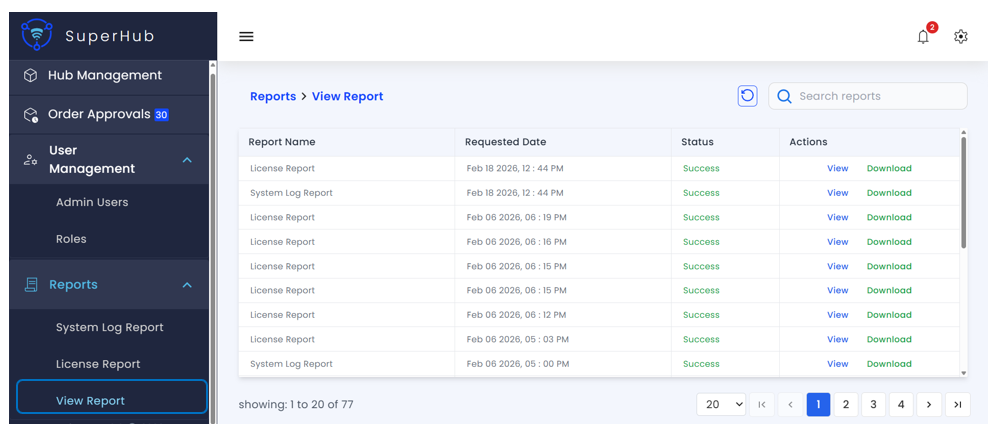
The View Report page displays a consolidated list of all reports generated within the SuperHub Console. It allows administrators to track report requests, monitor their status, and access completed reports for review or download.
Report Information
The following details are displayed in a tabular format:
Report Name — Type of report generated (e.g., License Report or System Log Report)
Requested Date — Date and time when the report was requested
Status — Current state of report generation:
- Success — Report has been generated and is available for viewing or download
- Failed — Report generation did not complete successfully. The report is not available and may require regeneration
Available Actions
The following actions are available for each report:
View — Opens the report directly in the browser for quick review
Download — Downloads the report file for offline access or record-keeping
note
Reports can be downloaded in CSV or XLSX file formats.