Settings
Overview
The Settings section provides quick access to essential user and account information within the SuperHub Console. It allows users to view their profile details, identify the associated company and SuperHub ID, and securely log out of the application. This supports account verification, support interactions, and session management.
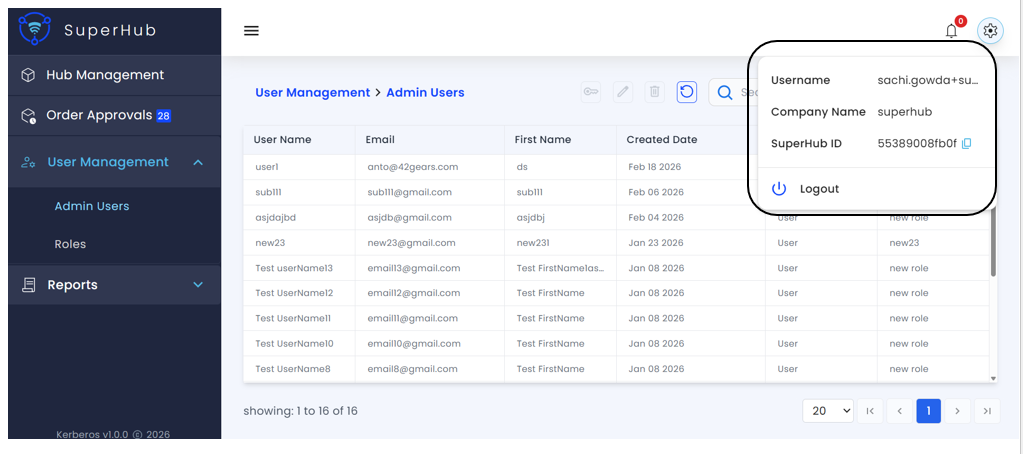
Available Settings
The following details are displayed in the Settings section:
Username — Email address or username of the currently logged-in SuperHub user
Company Name — Organization or company associated with the SuperHub account
SuperHub ID — Unique identifier for the SuperHub account, useful for support, troubleshooting, and internal reference. A copy icon allows you to quickly copy the ID to your clipboard
Logout — Safely signs the user out of the SuperHub Console and ends the current session