Configure Shared Device Mode in SureMDM
Follow these steps for Okta SAML configuration with MDM Console:
- Log in to the SureMDM Console and navigate to the Shared Device Mode section.
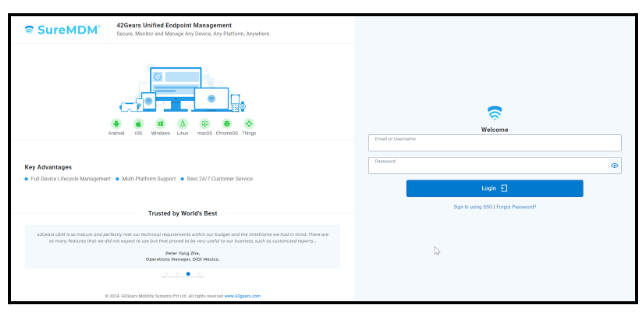
- Open the SureMDM Console login page, enter your valid Username and Password, then click Sign In to access the console.
- Click Settings.
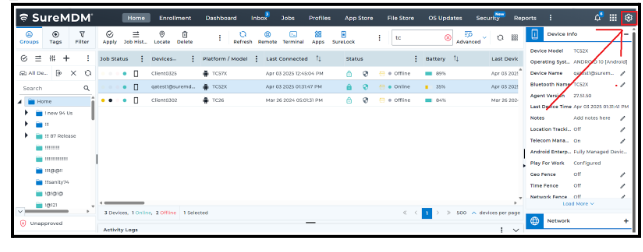
Click Account Settings.
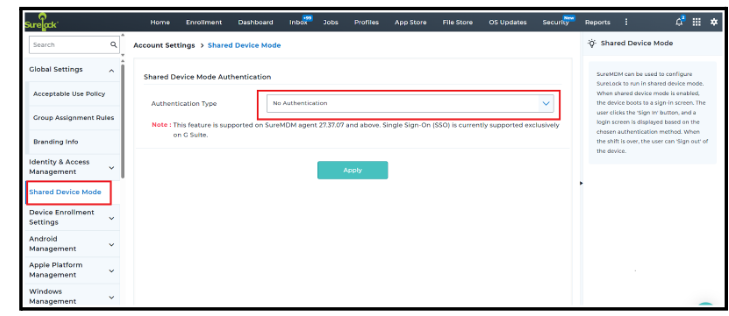
Select the Shared Device Mode.
- Configure Shared Device Mode using values copied from the Okta portal.
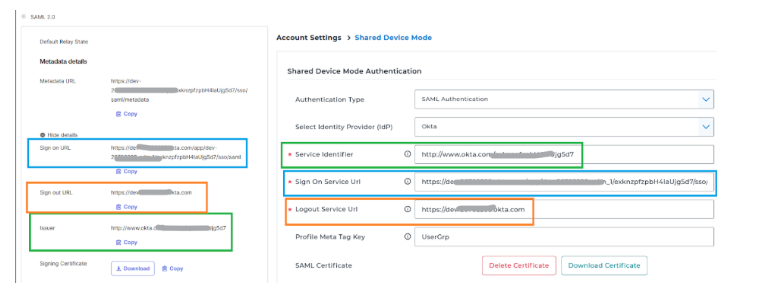
In the Shared Device Mode section, click Authentication type as SAML Authentication.
Select Identity Provider (IdP) as Okta.
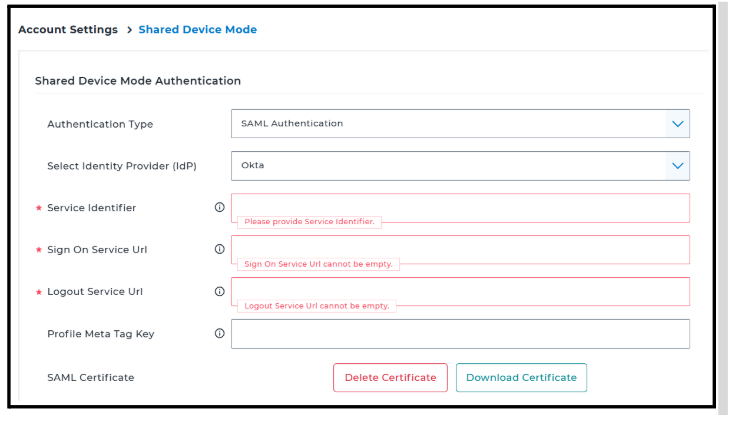
Service Identifier → Enter the Issuer value from Okta.
Sign On Service URL → Enter the Sign On URL from Okta.
Logout Service URL → Enter the Sign Out URL from Okta.
- Example: https://dev-26702295.okta.com
SAML Certificate → Download the Signing Certificate from Okta and upload it to the MDM Console.
Ensure all values are entered correctly for successful authentication.
The Okta SAML configuration with SureMDM is now complete.