Active Directory (AD)
SureMDM offers an Active Directory (AD) sync tool that streamlines the management of groups, making it more convenient and efficient. By using this tool, IT administrators can save time and avoid the hassle of manually creating groups.
- SureMDM AD Connect is a Windows tool developed by 42Gears to enable sync between the AD server and the SureMDM Console.
- Please download and keep the SureMDM AD connect tool handy.
- The same can be obtained by reaching out to 42Gears technical support.
To create and sync the groups that are created on the AD server to the SureMDM console, follow the steps given under the respective topics:
- Enable AD Integration
- SureMDM AD Connect Tool
Enable AD Integration
To enable AD integration and fetch the details from the SureMDM console, follow these steps:
Log in to the SureMDM Console.
Navigate to Settings > Account Settings > Enterprise Integration > AD Integration > Enable AD Integration (Check the box).
The following options are available on the AD Integration page:
| Setting | Description |
|---|---|
| Allow creation of Groups | Enable this option to create groups automatically in SureMDM based on organizational units present in Active Directory. |
| Allow creation of Security User Groups | Enable this option to create tags based on security user groups. |
| Sync AD Users to SureIDP | Synchronizes Active Directory users to SureIdP. If Password Hash is enabled in the AD Connector, it is used as a fallback authentication method when Pass-through Authentication (PTA) cannot be performed due to AD Connector or Active Directory unavailability. |
| Server Path | Displays the predefined Server Path that must be configured in the AD Connector. |
| Auto-wipe devices for disabled AD users | Automatically wipes devices associated with users whose Active Directory accounts have been disabled after the next successful synchronization. |
| Last Connected | Displays the date and time when the AD Connector last successfully communicated with the SureMDM server. |
| API Key | Displays the API key required to configure the AD Connector. |
| AD Users | Opens the list of synchronized Active Directory users available in SureMDM. |
| Sync | Initiates synchronization between SureMDM and the configured Active Directory server. |
| Save | Saves the AD Integration configuration. |
SureMDM AD Connect Tool
Download and Install the AD Connect Tool
To download the AD Connect tool, follow these steps:
Browse to the 42Gears Downloads page.
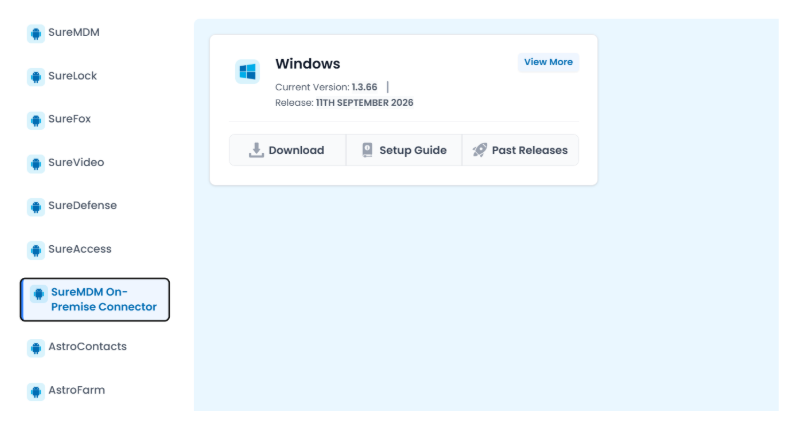
On the left-side menu, click SureMDM On-Premise Connector to locate and download the AD Connect tool.
Configuring AD Connect Tool
After downloading and installing the AD Connect tool on the Windows machine, update the below-mentioned fields:
All the fields in the SureMDM AD Connect tool are mandatory.
Go to the SureMDM AD Connect tool and enter Server Path – Provided with the SureMDM console URL(DNS). The server path will be mentioned in the MDM console.
Customer ID (Account ID) – Navigate to SureMDM console> Settings > Account ID.
API Key can be found under SureMDM console >Account Settings> Enterprise Integrations> AD Integration. Please refer to the first screenshot for future reference.
AD Server address – Active Directory Server IP or DNS.
Username/Password – Username/Password of the AD server.
- The “Test” connection option is available to check the connectivity with the AD Server.
- Add and Delete buttons are used to add/remove OU’s. The OUs are validated before adding.
- Add OU’s – the list of OU’s to be synced with SureMDM and then click Apply \& Start.
Click here to find out how to obtain the necessary OUs.
- Once the users are synced, go to the SureMDM console home page and refresh to view the newly created groups and the AD users in Settings > Account Settings > Enterprise Integration > AD Integration > AD Users.
- AD Users screen
Now, configure OAuth Authentication in the SureMDM console. To learn how to configure it, click here.
Once the OAuth configuration is complete, the user can proceed to enroll the device using the specific Account ID and Server Path. This enrollment automatically assigns the user/device to a specific group in the SureMDM console.
When registering the device, the user must enter their authentication details, which include their username and password. These details must match the ones used to add the user to the designated group in the AD connector tool.