Deploy Shared Device Mode Job
Shared Device Mode can be enabled or disabled on iOS/iPadOS devices by deploying a job from the SureMDM Console.
Steps to Enable / Disable Shared Device Mode
To create an Shared Device job and deploy it to enrolled iOS/iPadOS device(s) or group(s), follow these steps:
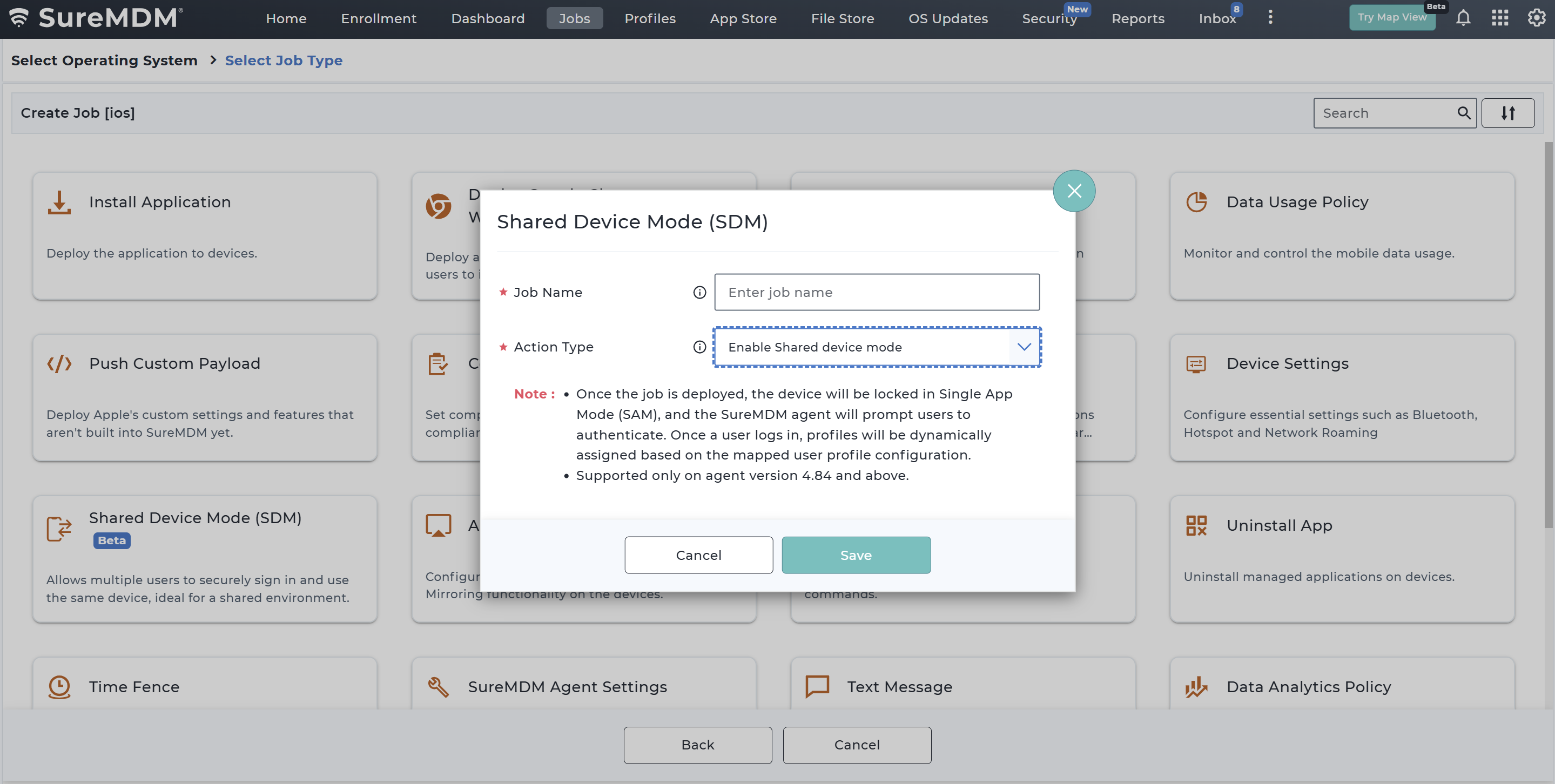
Navigate to SureMDM Web Console > Jobs > New Job > iOS/iPadOS > Shared Device Mode.
In the Shared Device Mode configuration popup, provide the required information.
| Field | Description |
|---|---|
| Job Name | Enter a name for the job. |
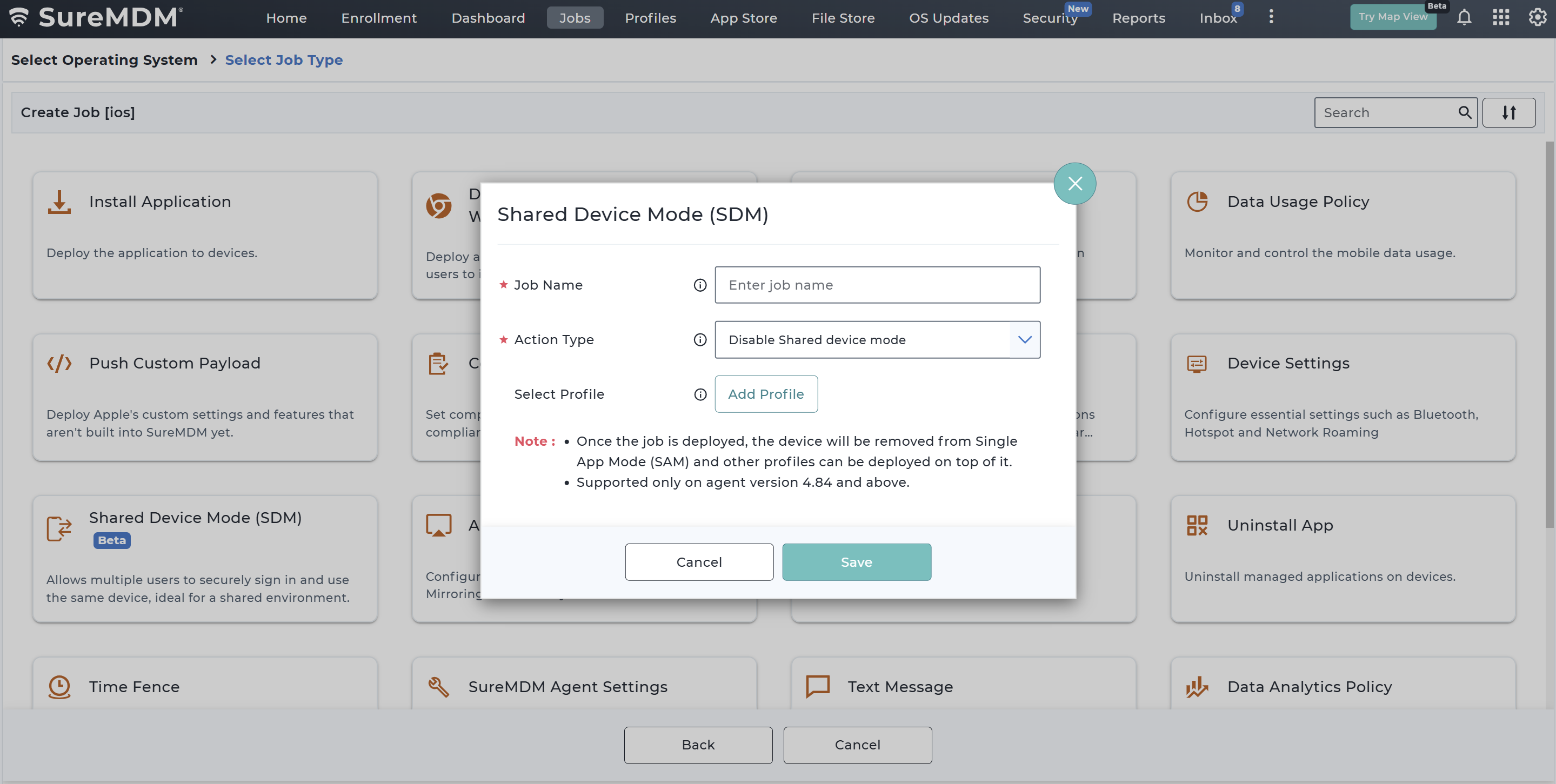
| Action Type | Select the Shared Device Mode action. |
| Enable Shared Device Mode | Use this option to enable the shared device mode on the selected iOS/iPadOS device(s). the job is deployed, the user is prompted to authenticate. If SSO is not configured, login is handled through the SureMDM Agent in Single App Mode (SAM). If SSO is configured, authentication is initiated through the required SSO app and completed in the SureMDM Agent. After successful login, profiles are dynamically assigned based on the mapped user profile configuration. |
| Disable Shared Device Mode | Use this option to disable the shared device mode on the selected iOS/iPadOS device(s). Once the job is deployed, Shared Device Mode is disabled and the active user session is ended. For non-SSO configurations, the device is removed from Single App Mode (SAM). For SSO configurations, the authenticated session is cleared and the device returns to its normal state. Other profiles and configurations can then be deployed as needed. |
| Select Profile | Select a profile to apply on the device when Shared Device Mode is disabled. |
The newly created job will be listed in the Jobs List section.
Go back to the Home tab and select the iOS/iPadOS device(s) or group(s).
Click Apply to launch the Apply Job/Profile To Device prompt.
In the Apply Job/Profile To Device prompt, select the job and click Apply.
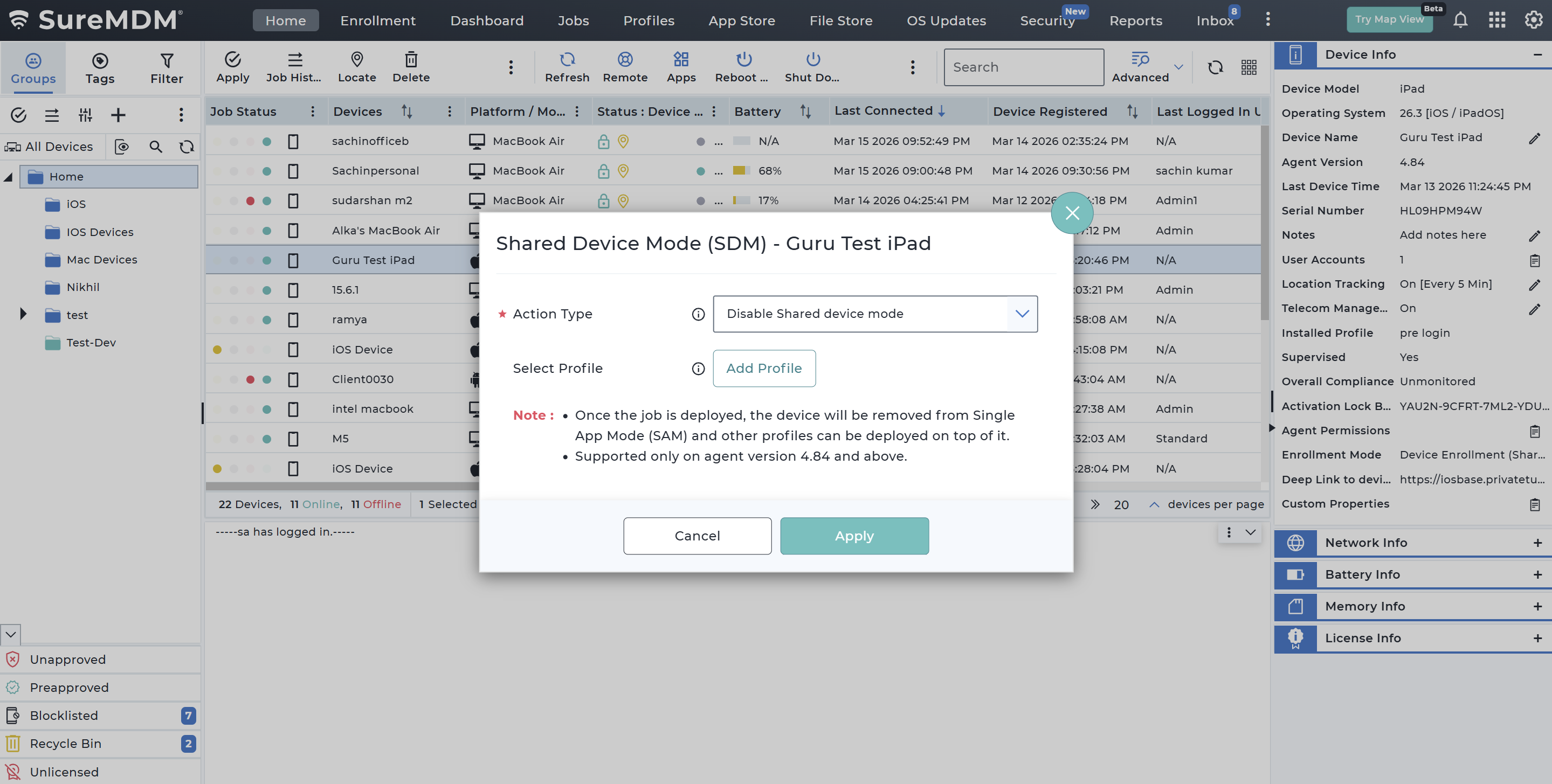
- Alternatively, select the desired iOS/iPadOS device in the Home Grid and choose More > Shared Device Mode to launch the Shared Device Mode configuration popup as dynamic job.
Supported Jobs While Device is in Shared Device Mode
When a device is in Shared Device Mode (SDM), most SureMDM jobs can still be executed. However, certain jobs are restricted to ensure device security and to maintain the integrity of the Shared Device Mode workflow.
Supported Jobs
The following jobs are supported and can be deployed on devices with Shared Device Mode enabled:
- Install Application
- Push Custom Payload
- Compliance Jobs
- Deploy Google Chrome Webclip
- Device Settings
- Uninstall App
- SureMDM Agent Settings
- Text Message
- Data Analytics Policy
- Location Tracking
- Move Device to Group
- Assign / Unassign Tags
Unsupported Jobs
The following jobs cannot be applied while a device is in Shared Device Mode:
- Run Script
- Geo Fence
- Data Usage Policy
- AirPlay Mirroring
- Time Fence
- Remove Profile
- OS Updates
When a device is in Shared Device Mode, no other profiles shall be applied. Additionally, the Shared Device Mode profile cannot be deleted unless the mode is disabled.