iOS/iPadOS Profiles
iOS profiles in SureMDM provide a powerful way to configure and manage various settings on iOS devices within an organization. These profiles enable administrators to enforce security policies, customize device functionality, and ensure compliance with organizational standards. With iOS profiles, administrators can remotely control settings such as Wi-Fi configurations, email accounts, VPN connections, passcode requirements, and more. This centralized management streamlines the deployment of devices and ensures consistency across the organization.
Supported Enrollment Types for iOS Profiles
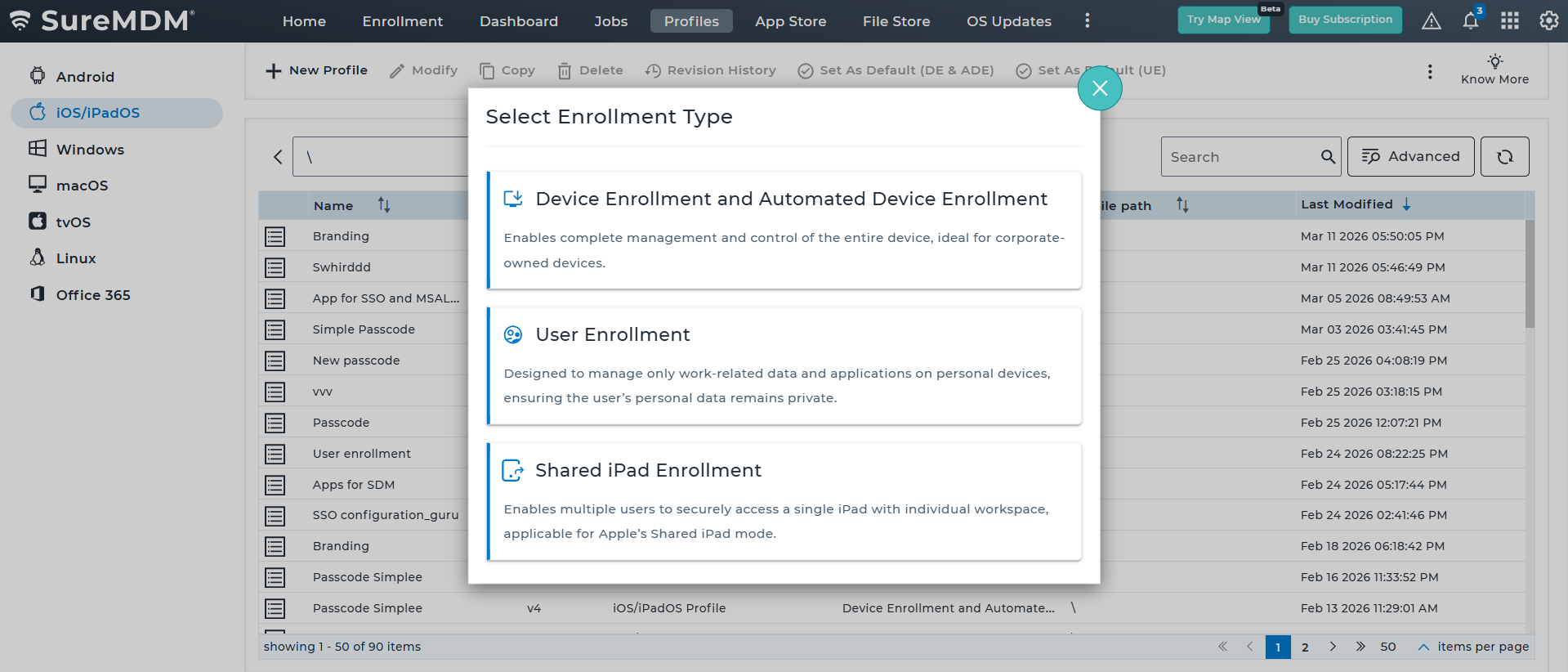
When creating an iOS profile in SureMDM, administrators must first select the Enrollment Type, which determines how the device will be managed and which configurations are applicable. The available enrollment types are described below:
| Enrollment Type | Description |
|---|---|
| Device Enrollment and Automated Device Enrollment | This enrollment type enables complete device management and control, making it ideal for corporate-owned devices. Administrators can enforce organization-wide policies and configure device settings, applications, and restrictions across the entire device. |
| User Enrollment | User Enrollment is designed for personal (BYOD) devices where only work-related data and applications are managed. This approach protects user privacy by keeping personal data separate from organizational management while still allowing administrators to enforce required policies for corporate resources. |
| Shared iPad Enrollment | Shared iPad Enrollment enables multiple users to securely access a single iPad device, each with their own workspace and data environment. This mode is commonly used in education and shared-device scenarios, where several users sign in and use the same device at different times. |
Payload Types
There are two types of iOS profiles available in the SureMDM Web Console:
- General Profiles - Profiles don't require Supervised Mode activation
- Supervised Mode Profiles - Profiles require Supervised Mode Activation
The following table shows the list of all iOS profiles that require and don't require supervised mode activation.
| Profiles | Don't Require Supervision | Require Supervision |
|---|---|---|
| Blocklist/Allowlist Apps | -- | ✔ |
| Web Content Filter | -- | ✔ |
| Branding Configuration | -- | ✔ |
| Passcode Policy | ✔ | -- |
| Single App Mode Profile | -- | ✔ |
| Restriction Profile | ✔ | -- |
| Application Policy | ✔ | -- |
| Configuration Profile | ✔ | -- |
| Wi-Fi Configuration | ✔ | -- |
| Mail Configuration | ✔ | -- |
| Global Proxy Settings | -- | ✔ |
| VPN Configuration | ✔ | -- |
| DNS Configuration | ✔ | -- |
| AirPrint Configuration | ✔ | -- |
| Certificate | ✔ | -- |
| File Sharing Policy | ✔ | -- |
| Classroom Settings | ✔ | -- |
| Extensible Single Sign-On | ✔ | -- |
| Exchange Active Sync (EAS) | ✔ | -- |
| Google Account Configuration | ✔ | -- |
| Contact Settings | ✔ | -- |
| Font Management | ✔ | -- |
| Safari Settings | -- | ✔ |
| Safari Bookmarks | -- | ✔ |
| Safari Extensions | -- | ✔ |
| Software Update Management | -- | ✔ |
| Notifications Settings | -- | ✔ |