Work Profile on Company Owned
WPCO (Work Profile on Company Owned) represents a business model where organizations equip employees with devices, granting them the freedom to use these devices for both personal and professional needs. This approach facilitates a seamless integration of personal and work-related activities on the provided devices. The integration of SureMDM with Android Enterprise offers a versatile and efficient solution, enabling personal use on company-owned devices while maintaining effective management.
This enrollment method will be supported only on Android 12 and above devices.
In order to proceed, ensure that your SureMDM account is enrolled with Android Enterprise. Refer to the Enroll SureMDM with Android Enterprise section for detailed instructions.
Enroll Devices in WPCO using Gmail Account
If an existing device is being enrolled as Work Profile Managed Device, it has to be factory reset.
Take a new device or factory reset the existing device.
On the Language page, select the desired Language and tap Start.
Connect the device with Wi-Fi network.
Next, on Add your account screen, enter Email as afw#sureMDM and tap Next.
Next, go through Google services and Accept to go to the next screen.
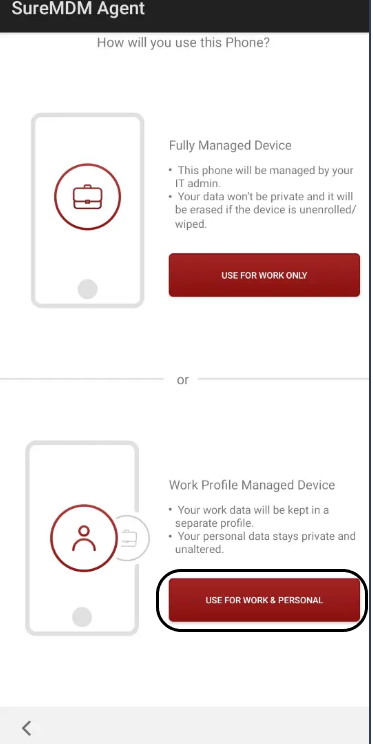
On the SureMDM Agent, select Work Profile Managed Device.
Add your personal email account and accept all the Google Services.
On the Set up your profile screen, tap Set Up.
On the device side, a Work Container will be created, and the SureMDM Agent will be visible in the workspace with the container symbol.