USB Connection Setup
To allow debugging and communication with the contributor machine, follow the steps below to prepare the Android device:
Step 1: Enable Developer Options
- Open Settings on the Android device.
- Navigate to About Phone.
- Tap Build Number seven times until Developer Options are enabled.
Step 2: Enable USB Debugging
- Go to Settings → Developer Options.
- Enable USB Debugging.
Step 3: Connect Device to Host Machine
- Connect the Android device to the host machine using a USB cable.
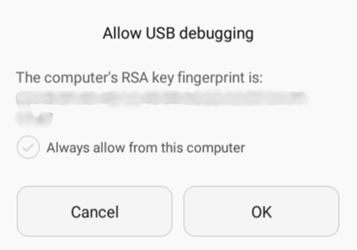
- When prompted on the device, allow USB debugging authorization.
Step 4: Verify Device Connection
- Run the following command:
adb devices
If the device is connected successfully, the device serial number will appear in the list.
