Windows Contributor Setup
A Windows and Linux contributor enables onboarding and automation of Android devices within AstroFarm. Commonly used in large device labs due to their compatibility with Android automation frameworks.
Before device enrollment can begin, the contributor machine must be properly configured with the necessary tools and dependencies to enable communication between the host system and connected Android devices.
Required Tools
ADB Setup
As discussed in the section “Device Compatibility Options”, Windows contributor will only support the enrollment and configuration of android devices, ADB Setup is necessary to establish communication between the contributor and that Android device, in order to allow the system install applications, run commands, access device logs, perform debugging operations and many more.
To setup ADB on Windows device, follow these steps:
- Go to https://developer.android.com/studio/releases/platform-tools.
- Scroll down the page to locate Downloads.
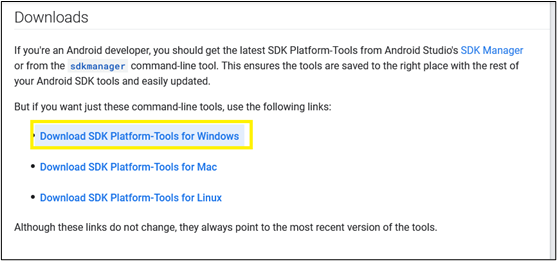
- The platform-tools zip file will be downloaded. Extract the folder and place it in an accessible location.
- This package contains an adb.exe file; please note down this path which is required when configuring the agent.