Prerequisites for Android Device Enrollment
Android SDK Platform Tools : The Android SDK Platform Tools package is required to connect Android devices. It includes Android Debug Bridge, which enables the Mac contributor machine to detect and communicate with the Android devices connected via USB.
ADB Setup Android Debug Bridge (ADB) is a command-line tool that enables communication between the contributor and the Android device. It allows the system to install applications, run commands, access device logs, and perform debugging operations required for device enrollment and automation.
To setup ADB on macOS device, follow these steps:
- Go to https://developer.android.com/studio/releases/platform-tools.
- Scroll down the page to locate Downloads. ![]
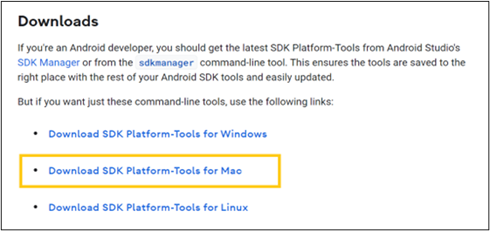
- Select SDK Platform-Tools for Mac and download it. The platform-tools zip file will be downloaded. Extract the folder and place it in an accessible location.
- Save it in a location where you won't accidentally delete it.
- Start the terminal and enter the following commands:
mkdir ~/.android-sdk-macosx
mv platform-tools/ ~/.android-sdk-macosx/platform-tools
- Add platform-tools to the path:
echo 'export PATH=$PATH:~/.android-sdk-macosx/platform-tools/' >> ~/.bash_profile
- Refresh your bash_profile (or restart the Terminal app):
source ~/.bash_profile
This package contains an adb.exe file; please note down this path which is required when configuring the agent.