Linux Contributor Setup
Download and Extract:
- Download AstroFarm Agent for Linux by clicking the Linux icon. A .zip file will download.
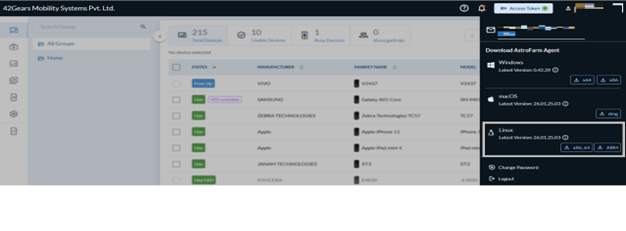
- Extract the contents of the .zip file that was downloaded from the console (top right corner).
- Launch Shell and navigate to the .zip folder path.
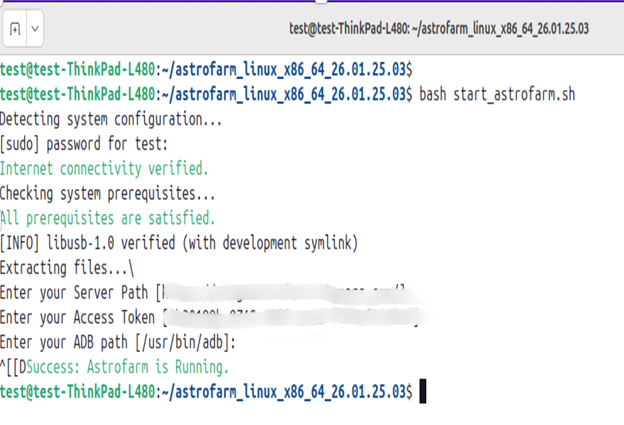
- Run the appropriate command based on your architecture to start the AstroFarm Agent:
# Linux x86
bash start_astrofarm.sh

# Linux ARM
bash start_arm_astrofarm.sh
Enter the following details:
- Server Path - URL of the AstroFarm server. Please contact your administrator if you have trouble finding it.
- Access Token - Paste the access token that is available from the console (top right corner).
- ADB Path - Enter the path of the folder in which the ADB file is saved on your machine. If the adb path is not found, go to the terminal and type
which adb, then copy that path.
You can stop the AstroFarm Agent using:
bash stop_astrofarm.sh
- View agent details:
bash view_astrofarm.sh