Configure the SureMDM On-Premise Connector
Prerequisite
Ensure that the SCEP server is set up and the SureMDM On-Premise Connector must be installed on a machine that has access to the CA server.
Once done, follow the steps below to configure the SureMDM On-Premise Connector:
Download the SureMDM On-Premise Connector.
Launch the SureMDM On-Premise Connector.
Enter the following details:
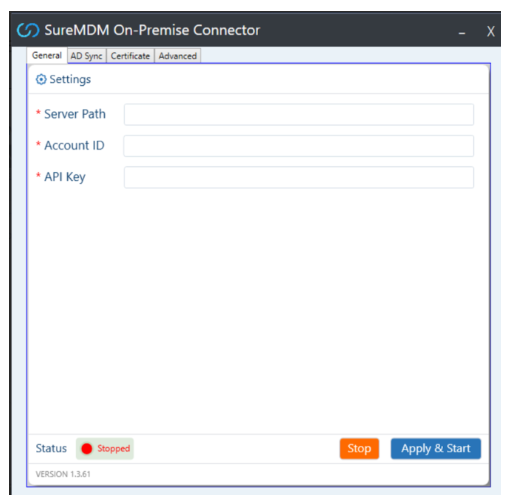
Server Path: Enter the Server URL of the SureMDM account.
Account ID: Enter the Account ID of the SureMDM account.
API Key: Enter the API key of the SureMDM account. It can be found under the AD Integration section of SureMDM.
- Navigate to the Certificate tab in the connector.
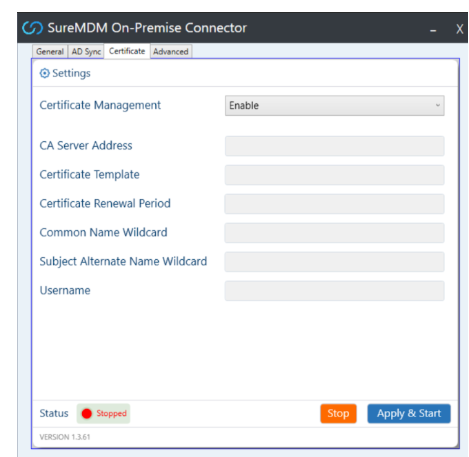
Enable certificate management by checking Enable.
Once done, click Apply and Start.